Tuesday, January 28, 2014

AeroMIDI at NAMM 2014

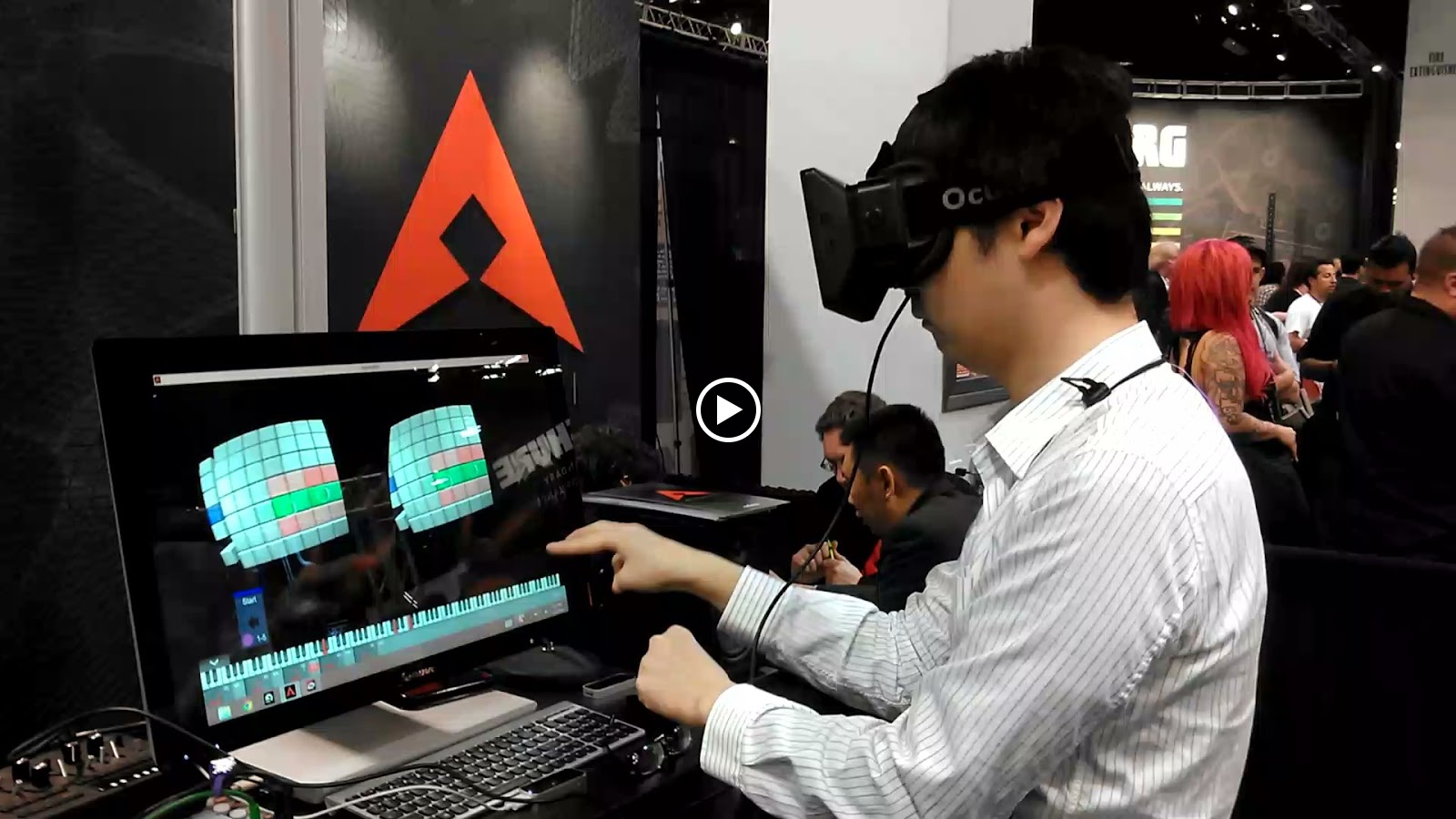
Thank you to those that made it by our booth #6428 in hall A.  We had a great show and here are a few photos and video.


Monday, January 20, 2014

AeroMIDI 1.1 released to AeroMIDI.net

This new build has a few fixes for some bugs that made it in to 1.0.

Here are the changes:

  • Fix for selecting with the selection rectangle.  (Was not always selecting the cubes, even though they appeared to be selected.)
  • Drawing palms transparent for 5 seconds after removing a finger from the cube.  This is less distracting.
  • Added meters on the status bar so that it is easier to see where the various parameters are.
  • Was able to click through the windows on to other buttons
  • Can now toggle click action cards to bring their interface up or close it.
  • Fixed the Ableton training bug which relied on AeroMIDI sending CC messages with different values.  (Note that if you have version 1.0, you can train for Ableton in this workaround.)

Please note that version 1.1 is not currently on AirSpace, but will be updated in the coming week or so.

Thursday, January 16, 2014

Training Action Cards in Ableton Live

We've discovered an interesting issue with training Ableton Live with the action cards.  They train, but they do not train properly, even though, for all intensive purposes it looks like they train.

In version 1.0, Live parameters train as ON/OFF switches...which is incorrect.  We will be releasing a fix for dealing with Ableton soon.

In the meantime, here is a very easy workaround.  That only takes one more click.

In Ableton Live, click the MIDI Learn button


Select the parameter you'd like to train


Now go back to AeroMIDI and push the Train button on a parameter you'd like to learn.


Now, here is the work-around.  On the range, click the down area on the high end of the range so that it moves from 127 to 126.  And then move it back to 127.  That's it!  (It may be that you have move it to several values and then click Stop before too much time has passed.)


Click the Stop button


And the parameter in Live will be trained (properly!)


Turn off the MIDI learn in Ableton and you're done!


Monday, January 6, 2014

AeroMIDI 1.0 is released!

The new AeroMIDI 1.0 is out and ready for download!  (The previous version was 0.94, but this is a major upgrade.)


In it you'll find new "Action Cards" which let you track hands in X,Y, Z...including Pitch, Roll and Yaw!


Quickly and easily set up action cards that respond to gestures from either the left or right hand.  Specify the number of fingers that each gesture requires.  Then attach action controllers and note patterns to hand movements and rotations!

Roll CC controller for CC#4
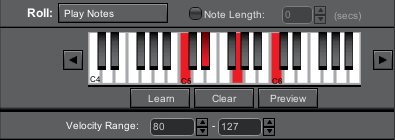
Play Notes Roll controller for a C minor scale.

Watch an overview video: http://www.youtube.com/watch?v=ARNp8_C2rOk


Watch our video tutorials on using the new AeroMIDI: http://aeromidi.net/support.php

Tuesday, December 17, 2013

New AeroMIDI coming soon - And we mean it. ;)

The word 'soon' in software development usually means 2-3 times longer than 'actual soon'.  At any rate, it is actually soon now...Ok, I digress....Its coming SOON. ;)  Just needs to go through a round of testing.

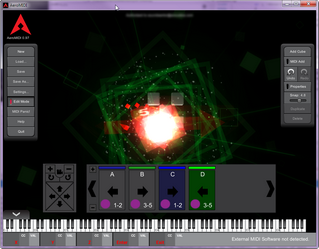
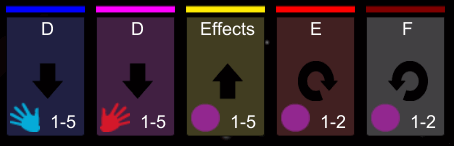
This image shows the new "Action Cards" which lets you assign gestures to midi actions.   You can track a circular gesture or a swipe to the right and trigger a beat.  In fact, it is easy to do beat juggling and is actually viable at 1/8th quantization.
You can also set it up to track the hand or hands in X, Y or Z, as well as hand rotations such as Pitch, Yaw and Roll.

When a gesture is triggered, a flash of color is drawn on the screen.  (As seen to the right.)

Each "Action Card" can be assigned to a group.  In this case, we have two groups: Blue and Green.  Only one card from each group can be active at a time.  Right now, C and D are active.
Finger tracking in cubes still works, of course.  The cubes are bigger and its easier to go into a cube.

Create some scales that go along with your song and trigger them.


Also, if you are lucky enough to have an Oculus Rift
 Here is the Oculus Rift view.  Of course, you'll need an Oculus Rift...otherwise its just silly.

And here is the old style camera follow mode.  The addition is that you can now turn the camera to the orientation of your hand.

While fun - the "Fixed Camera" mode is really the most practical.  Although, results may vary.


The new version of AeroMIDI is a week or two away.  If you bought it via AirSpace, it may be 2-3 weeks away.  (We have to get those bugs out - yes - we may have a few)

Thanks for reading!

Friday, September 27, 2013

New AeroMIDI mode coming soon!

Hey there,

We are working on a new mode for AeroMIDI called "Hand Tracker" which tracks your hands/palms in space and will generate CC messages without having to be in cubes.

The upcoming version will have hand tracking in X,Y, Z, but will also track pitch, yaw and roll.  This will be an alternative or maybe even the default way to generate CC messages.  All the same range, snap and mapping modes will be available, as well.  This will make it easy to turn AeroMIDI into an simple controller that will not require you to be viewing the screen.

In addition, we have changed the way that the mapping modes work.  Instead of having 6 buttons with 3 different modes on each button, we have changed it to be toggles for the following: (linear, exponential fast, exponential slow, reverse and mirrored.)  This is much more intuitive and easier to work with.

There are many other changes and fixes which will be made available incrementally.

Thank you!

Friday, September 13, 2013

AeroMIDI Survey - Help us make AeroMIDI better

We like to take feedback from our users.  We want to know what you like and what you don't like.  Please take this short survey to help us mold the software into what you would like us to build.

Take the AeroMIDI survey now!

Thank you!